Calculators for structural design — RCC, mix, BBS, beam selection
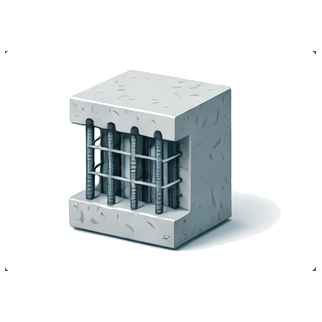
Structural design automation starts with the calculators most engineers run by hand today. The RCC Design Suite handles limit-state design of slabs (one-way, two-way), beams (simply supported, continuous), columns (short, slender), and isolated/combined footings per IS 456:2000 — inputs are span, load, exposure class, concrete grade, and steel grade; outputs are depth, area of reinforcement, bar arrangement, and deflection checks per Clause 23.2.
The Concrete Mix Design calculator follows IS 10262:2019 step-by-step — target mean strength, water-cement ratio, water content, cement content, aggregate proportions, trial batch adjustments — for grades M20 through M80. Mix designs can be exported as a report (PDF) for submission to structural consultants.
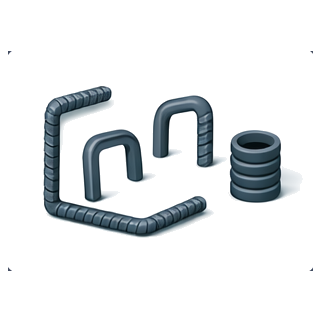
The Bar Bending Schedule tool generates cutting length, hook allowance, and bend deduction for 8 standard bar shapes per IS 2502:1963 — straight, U-bar, L-bar, crank, stirrup, link, chair, helix. Total weight per shape, steel tonnage by diameter, and a printable BBS table are produced in one click.
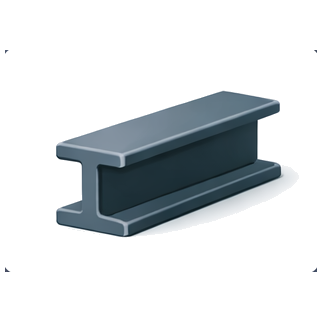
The Beam Selector uses the IS 800 limit state method to pick the lightest ISMB, ISLB, ISWB, or ISHB section for a given span, load, and deflection limit. It reads dimensions and section properties from IS 808:2021 and shear/moment capacities from IS 800:2007 Tables 4 and 7 — no manual lookups.
Steel quantification — sections, rebar weight, plate weight
Accurate steel takeoff drives every BOQ estimate and procurement plan. The Steel Section Table lists 102 rolled sections from IS 808:2021 — ISMB (Medium Beam), ISLB (Light Beam), ISWB (Wide Flange), ISHB (Heavy Beam), ISMC (Channel), and ISA (Equal & Unequal Angle) — with depth, flange width, web/flange thickness, weight per metre, cross-sectional area, moment of inertia about both axes, section modulus, and radius of gyration. A compare mode puts two sections side-by-side for quick ISMB-vs-ISWB or ISMC-vs-ISLB decisions.
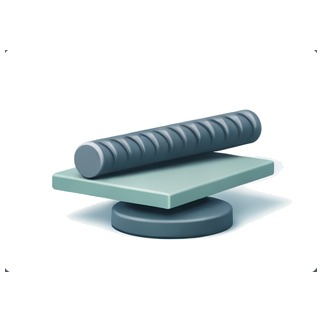
The Rebar Weight Calculator uses the D²/162.2 formula per IS 1786:2008 to compute weight per metre for TMT bars from 6 mm to 40 mm. Enter total length (from a BBS) and the tool returns weight in kg and tonnes, with quantity per standard 12 m rod. Used for rebar procurement quantity, vendor comparison, and BOQ verification.
The Plate & Pipe Weight calculator covers MS plates, flats, round bars, square bars, and hollow sections per IS 2062:2011 — returns weight by entering length × width × thickness (or diameter). Supports steel grades E250, E350, and E450 with appropriate density. Includes city-wise cost estimation when current material prices are loaded.
Cost and material quantity estimation
At concept and DD stage, you need fast numbers — what will this house cost per sqft? How much cement for a 1,000 sqft slab? The Construction Cost Calculator returns per-sqft construction cost for 60+ Indian cities (Mumbai, Delhi, Bangalore, Chennai, Hyderabad, Pune, Ahmedabad, Kolkata, Jaipur, Chandigarh, Lucknow, and 50+ more) across four finish tiers — basic, standard, premium, luxury — with a breakdown by structure, masonry, finishes, MEP, and contingency. Rates are validated against NoBroker, Houseyog, Housewise, and JK Cement benchmarks.
The Material Quantity Calculator is a 10-in-1 estimator — concrete volume and cement/sand/aggregate quantity, brickwork volume and brick count, plaster area and mortar quantity, paint area and litres, tile area and piece count, AAC block volume and count, PCC volume, putty area, waterproofing area, and shuttering area. Every output includes wastage allowance (typically 5% materials, 3% labour), and cost per output when city pricing is loaded. Designed to replace Excel BOQ templates for preliminary estimation.
Which calculator to use at each project stage
Concept stage (client brief to 10% drawings): use the Construction Cost Calculator for per-sqft budgeting, the Material Quantity Calculator for rough cement/steel tonnage, and the Beam Selector for preliminary floor framing. These tell the client what the project will cost before detailed design begins.
DD stage (50% drawings): use the RCC Design Suite for slab, beam, column, and footing sizing with checked reinforcement quantities; use Concrete Mix Design for specification of grades M20 through M40; use the Steel Section Table for finalising steel frame member sizes.
CD stage (90-100% drawings, ready for tender): use the BBS calculator to generate complete bar bending schedules per drawing; use the Rebar Weight Calculator to compute total tonnage; use the Plate Weight Calculator for MS plate take-offs. Run the Cost Calculator and Material Calculator again to update estimates against detailed quantities.
Construction stage: use Mix Design for submission of trial mix proportions to the client/consultant; use BBS to verify contractor's bar bending against design; use Rebar Weight and Plate Weight for material reconciliation against billed quantities.
As-built stage: use the Material Quantity Calculator to generate final measured quantities; use Cost Calculator to compute final per-sqft cost for benchmarking on the next project.
IS code traceability — every result cites a clause
Unlike generic online calculators (which often skip code references entirely), every InfraLens tool cites the IS code clause it uses. The RCC Design Suite references IS 456 Clauses 22-26 for flexural design, Clause 40 for shear, Clause 34 for footings, and Annex D for slab bending moment coefficients. The Mix Design tool references IS 10262 Tables 1-3 for water content and water-cement ratio. The BBS calculator references IS 2502 Table 1 for bend deductions. The Beam Selector references IS 800 Clause 8 and IS 808 Annex D.
Each calculator output includes a 'Reference' panel showing the exact clause numbers applied — useful when your structural consultant or client-appointed checker reviews the calculation. No black-box outputs, no proprietary formulas. Every calculation can be reproduced by hand from the referenced IS code.
The calculators also integrate with our handbook — clicking a result value opens the handbook topic (e.g., clicking a concrete cover value opens the IS 456 Table 16 reference page). This keeps design calculations, reference tables, and underlying code clauses in one continuous browsing experience.
Frequently Asked Questions
12 common questions about this topic, answered by civil engineers.
Are all the calculators really free?+
Yes. All 13 tools — RCC Design Suite, Mix Design, BBS, Beam Selector, Steel Section Table, Rebar Weight, Plate Weight, Construction Cost Calculator, Material Quantity Calculator, plus prices, knowledge, quiz, and insights — are free to use. No signup required. Some Excel export buttons may ask for email registration after a few downloads to limit abuse, but the calculators themselves are unrestricted.
Which IS codes are referenced by the InfraLens calculators?+
Calculators use: IS 456:2000 (RCC design — Clauses 22-26, 34, 40, Annex D; Table 16 for cover), IS 10262:2019 (concrete mix design — Tables 1-3), IS 2502:1963 (BBS — Table 1 bend deductions), IS 800:2007 (steel design — Clause 8 shear, Clause 9 bending), IS 808:2021 (steel sections — Annex D properties), IS 1786:2008 (TMT rebar — Clause 7 weight formula), IS 2062:2011 (structural steel plates), IS 875 Part 1-3 (dead and live loads), IS 1893 Part 1:2016 (seismic — when applicable). Every calculator shows its clause citations in the output.
How accurate is the Construction Cost Calculator for my city?+
The calculator returns per-sqft cost ranges for 60+ Indian cities across four quality tiers (basic ₹1,400-1,800, standard ₹1,800-2,500, premium ₹2,500-4,000, luxury ₹4,000-8,000+). Rates are validated against city-wise benchmarks from NoBroker, Houseyog, Housewise, and cement/steel/brick suppliers. The estimate is accurate to ±10% for standard G+1 residential projects with concrete frame construction. For larger projects (G+4 and above), commercial, or bungalows with premium finishes, adjust the output by 5-15% to account for scale factors and finish variability.
Can I export the BBS as a PDF or Excel?+
Yes. After generating a Bar Bending Schedule, use the 'Export' button to download a PDF (print-ready, with your company header optional) or Excel (for further editing). The export includes the full BBS table with bar marks, diameters, shapes, cutting lengths, number of bars, and total weight by diameter. Excel export is available after email registration (anti-abuse measure), PDF is always available.
Does the RCC Design Suite account for seismic design per IS 1893 and IS 13920?+
The base RCC Design Suite sizes members for gravity loads (dead + live) per IS 456 limit state method. For seismic design, enable 'Seismic zone' mode — this applies the base shear coefficient per IS 1893 Part 1:2016 and ductile detailing requirements per IS 13920:2016 (special hoops, no splice in plastic hinge zone, SCWB check). The output flags any sizing change vs. gravity-only design. For seismic zones III, IV, and V, always run the seismic mode.
How does the Beam Selector pick the 'best' steel section?+
The Beam Selector finds the lightest section that satisfies: (1) bending stress per IS 800 Clause 8.2 — section modulus Zxx ≥ factored moment / allowable stress, (2) shear capacity per Clause 8.4, (3) deflection limit L/300 for simply supported beams (L/500 for continuous), and (4) lateral-torsional buckling check per Clause 8.2.2. Among sections that pass, it picks the one with least weight per metre (reading kg/m from IS 808). You can override by selecting a specific section family (ISMB only, ISWB only, etc.) from the UI.
What concrete grades does the Mix Design calculator support?+
The Concrete Mix Design tool supports M20 through M80 per IS 10262:2019. Below M20 (e.g., M10, M15), nominal mix per IS 456 Clause 9.3 is recommended instead of design mix — the tool provides these nominal proportions for reference. For M80 and above (high-strength concrete), the tool includes SCM adjustments (fly ash, GGBS, silica fume) per IS 10262 Clause 5.6. Trial mix adjustments are suggested after entering trial cube strength results.
Can I use the Material Quantity Calculator for waterproofing areas?+
Yes. The Material Quantity Calculator includes a waterproofing module — enter area (m² for bathroom/terrace/basement), thickness (mm), and waterproofing type (PU-based, crystalline, bituminous membrane, cementitious) — the calculator returns material quantity in kg, bags, or m² of membrane. Wastage allowance of 10% is applied by default. It also returns cost when city pricing is loaded. For complex waterproofing assemblies (multi-layer), run the calculator for each layer separately.
Do the calculators work on mobile phones?+
Yes. All tools are designed mobile-first — they work on screens as small as 320 px (older Android phones), load fully over 3G, and use progressive rendering (first meaningful paint under 1.5 seconds). The RCC Design Suite and Mix Design have a tabbed interface on mobile for compact data entry. PDF/Excel exports work on mobile Safari (iOS 14+) and Chrome (Android 10+). Tested on 100+ device-browser combinations.
What's the difference between the Steel Section Table tool and the Beam Selector?+
The Steel Section Table is a reference tool — browse all 102 IS 808 rolled sections, compare properties, look up weight/dimensions. You use it when you know which section family you're interested in and want to see the options. The Beam Selector is a design tool — enter span, load, and constraints, and the tool recommends the lightest passing section across families. You use it when you want to find the best section for a given requirement without manually iterating through IS 808.
Can I use these calculators for GATE preparation?+
Absolutely. GATE Civil Engineering includes design problems on RCC, steel, and concrete mix — the InfraLens calculators let you solve and verify hand calculations instantly. Every calculator output shows the IS code clause applied, which matches what GATE expects in solutions. Our GATE Prep hub has 7,600+ practice questions with direct links to relevant calculators and IS code clause pages.
How often are the calculators updated?+
Calculators are updated when the underlying IS code is revised (e.g., IS 10262 moved from 2009 to 2019 — the Mix Design tool was updated within a month), when bugs are reported, or when new features are added (e.g., seismic mode was added to RCC Design in 2025). A 'last updated' timestamp appears at the bottom of each tool. Price data in the Cost Calculator is refreshed quarterly. To report an issue or suggest a feature, email info@infralens.in.
Related resources on InfraLens
IS Codes — 2,374 Indian Standards
Searchable database of IS codes used across the calculators — IS 456, IS 10262, IS 800, IS 2502, IS 808, IS 1786, and more.
Civil Engineering Handbook
75 reference tables — concrete cover, unit weights, lap lengths, steel section properties — that feed into every calculator.
NBC 2016 Design Rules
100 dimensional rules for architectural and planning stage — room sizes, ceiling heights, parking bays, staircase minimums.
GATE Civil Engineering Prep
7,600+ practice questions with direct links to the calculators and IS code clause references.